Organic Mushroom One Page Template


Edit Template Offline
2. Create new page and search for id 6662567
Edit Template Online
Create Awesome Websites


Free Nicepage Builder
Keywords
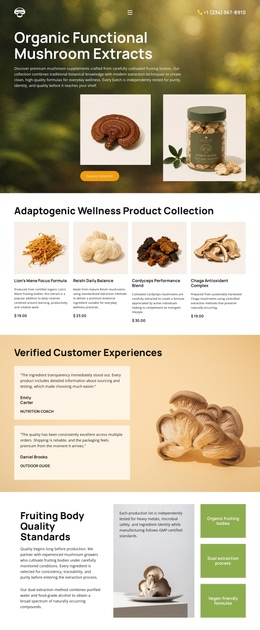
Six Distinct Content Stops Form a Continuous Supplement Journey
The page's compact sequence creates several meaningful information stops without requiring the visitor to leave the document. The opening hero introduces the mushroom supplement subject and collection action. The following product block changes the focus to four named choices, allowing the collection to function as its own destination within the page. The wide natural-product band then acts as a short positioning statement before the quality section expands the information journey with sourcing and capsule details.
The three testimonial cards provide another clearly separated stop for customer-oriented proof, and the closing contact area gathers wellness-team information, address and business-hours content, brand treatment, and social links. This order supports a continuous movement from introduction to products, positioning, quality, reassurance, and contact. It is different from a single-purpose action path because the page contains several substantive content zones that can be explored in sequence. If one-page navigation is added later, these verified blocks offer natural destinations, although the analysis does not confirm that anchor navigation is already present. The existing visual bands also help visitors recognize transitions between sections as they move through the single document.
Customize with Nicepage
Open this ready-made template in the One Page Template Builder and customize it visually in the Nicepage editor. Replace demo content, edit page sections, and adapt the design to your project without rebuilding the template from scratch.
Build a Navigable One-Page Website
Connect the Menu to Page Sections
Organize the website as a sequence of sections on a single page and use the Menu For One-Page Site to connect menu items with individual page Blocks. Visitors can jump directly to sections such as About, Services, Testimonials, or Contact without opening separate pages.
Keep the Website on One URL
A one-page template can combine several parts of a small website within one continuous page. Arrange the Header, introduction, services, portfolio, company information, reviews, contact details, and other relevant sections in the order that fits the project while keeping them accessible through the same page navigation.
Make Long Pages Easier to Navigate
For longer one-page websites, keep navigation labels short and connected to meaningful sections so visitors can move through the page without relying only on scrolling. You can also use the Back To Top element to provide a quick way back to the beginning after longer sections.
This workflow makes the template suitable for compact websites that need several distinct content sections while keeping the complete visitor experience on one URL.