
No Connection Page HTML Template


Edit Template Offline
2. Create new page and search for id 6658547
Edit Template Online
Create Awesome Websites


Free Nicepage Builder
Keywords
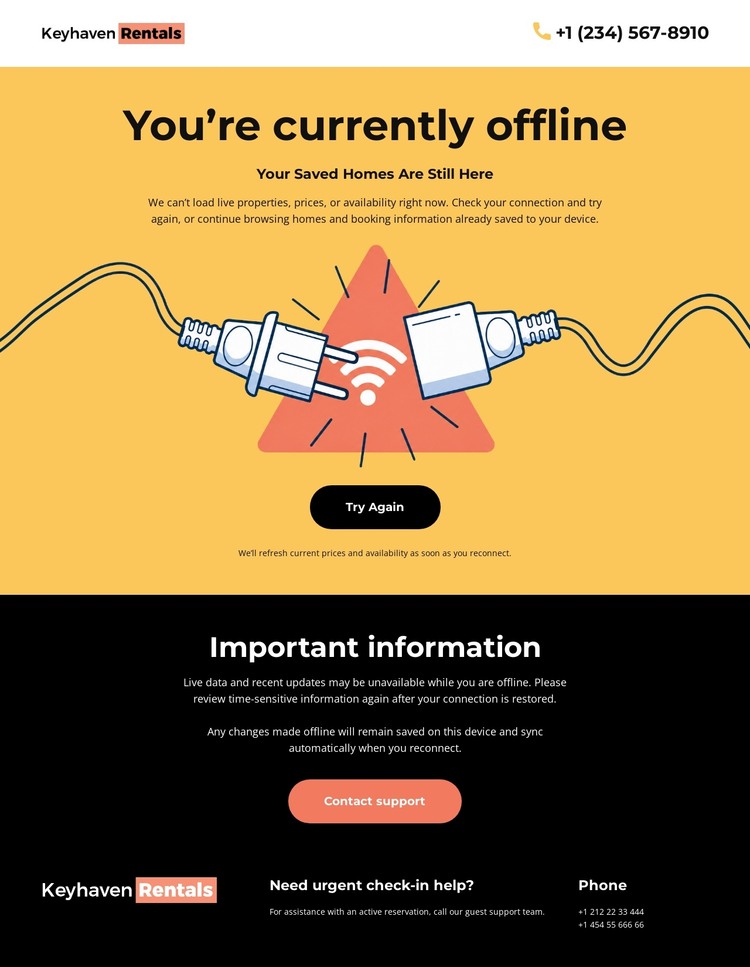
A complete offline message from status notice to support contact
The page already contains the essential content sequence for a self-contained static HTML status screen. Keyhaven Rentals appears before the interruption message, so visitors can identify the service while reading the compact header. The yellow central area then communicates the offline state, uses a simple illustration to reinforce it, and places “Try Again” beside “Contact support” as two distinct responses. This is a finished arrangement rather than an isolated error headline.
The saved-homes message adds a second layer of information for returning rental users, while the black “Important information” section provides space for offline-use guidance. These areas prevent the page from treating the outage as only a technical notice: it also explains what visitors can expect and preserves a route to assistance. The final dark footer completes the static page with urgent check-in help, support copy, phone contact, and repeated branding.
That combination gives an HTML implementation a coherent beginning, middle, and end without requiring additional content to explain the immediate situation. The strongest static-page quality is the relationship between the bright recovery area and the darker information and support areas. Visitors see the status first, consider retrying or contacting support, then find guidance and urgent contact information in a predictable closing section.
Customize with Nicepage
Open this ready-made template in the HTML Builder and customize it visually in the Nicepage editor. Replace demo content, edit page sections, and adapt the design to your project without rebuilding the template from scratch.
Export and Use This Template as an HTML Website
Create a Portable HTML Website
When the template is ready, use the HTML Export option to create a static website with the files required for deployment. The exported website can be used independently of the Nicepage editor and deployed on your preferred hosting.
Nicepage also provides SEO settings and optimization features, including Page Titles and Descriptions, Canonical settings, headings, image Alt Text, and other page-level properties that help prepare the website for search engines.
Deploy Without a CMS
Upload the finished website to the hosting environment that fits your project. Because the exported site does not require WordPress, Joomla, or another CMS to deliver its pages, it can be placed on your own server, uploaded to a hosting provider, or deployed through an existing web infrastructure.
Hand Off the Website Files
The generated website files can also be provided to a client, developer, or hosting team. They remain available outside the Nicepage editor for deployment, technical review, or project-specific development when additional work is required.
This workflow makes the template a practical foundation for a portable static website that can be exported from the Nicepage editor and deployed independently.
