
Offline Page Website HTML Template


Edit Template Offline
2. Create new page and search for id 6658534
Edit Template Online
Create Awesome Websites


Free Nicepage Builder
Keywords
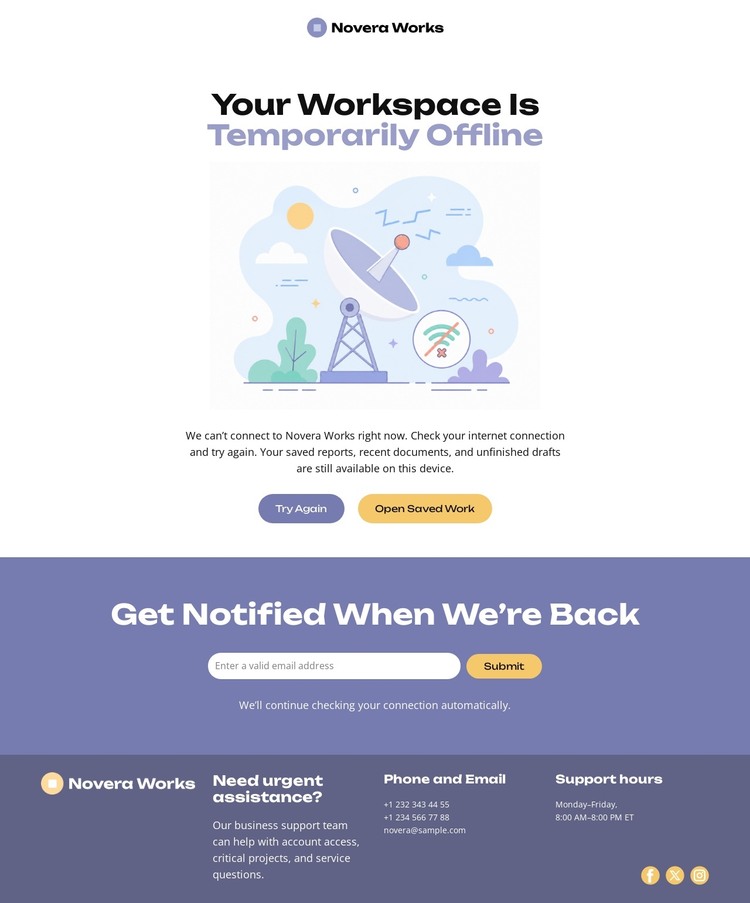
The Offline Notice and Support Footer Form a Complete Static Page
The design contains the essential content needed for a focused static outage page rather than presenting only an isolated visual concept. The top brand mark identifies the service, and the central section immediately states that the workspace is temporarily offline. The illustration reinforces that message without requiring a long explanation, while Try Again and Open Saved Work give visitors two visible responses to the interruption.
The page also accounts for visitors who cannot resolve the problem immediately. Its notification section places a signup prompt, reassurance text, and compact email row after the recovery actions, creating a separate path for return communication. The footer adds another layer of completeness with support information, operating hours, phone and email channels, and social icons. This sequence moves from identification, to status, to recovery, to notification, and finally to human support.
As a standalone HTML implementation, the value lies in this finished arrangement of content and actions. A static deployment can retain the centered composition, pale main area, dark lavender footer, and compact form while replacing the sample identity and support details with verified project information. The page therefore provides a usable foundation for an outage notice that needs its core communication sections already assembled.
Customize with Nicepage
Open this ready-made template in the HTML Builder and customize it visually in the Nicepage editor. Replace demo content, edit page sections, and adapt the design to your project without rebuilding the template from scratch.
Export and Use This Template as an HTML Website
Create a Portable HTML Website
When the template is ready, use the HTML Export option to create a static website with the files required for deployment. The exported website can be used independently of the Nicepage editor and deployed on your preferred hosting.
Nicepage also provides SEO settings and optimization features, including Page Titles and Descriptions, Canonical settings, headings, image Alt Text, and other page-level properties that help prepare the website for search engines.
Deploy Without a CMS
Upload the finished website to the hosting environment that fits your project. Because the exported site does not require WordPress, Joomla, or another CMS to deliver its pages, it can be placed on your own server, uploaded to a hosting provider, or deployed through an existing web infrastructure.
Hand Off the Website Files
The generated website files can also be provided to a client, developer, or hosting team. They remain available outside the Nicepage editor for deployment, technical review, or project-specific development when additional work is required.
This workflow makes the template a practical foundation for a portable static website that can be exported from the Nicepage editor and deployed independently.
