School of photographers HTML Template



About Our School Forms a Ready-Made Static Section
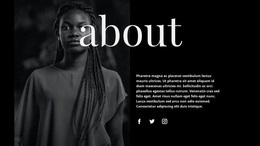
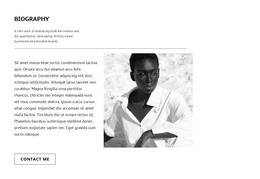
The “YOUR NEW WAY” label, “About Our School” heading, and supporting paragraph already form a focused introduction to the school or subject. The “READ MORE” text link extends that introduction without making the section carry every detail about the organization. On the right, the tall monochrome portrait of a person holding a camera supplies a clear visual counterpart to the text, giving the section a recognizable photography-related context.
Used inside a static HTML page, this block can function as a prepared about or introduction section rather than a complete page. Its two-region arrangement is self-contained: visitors encounter the explanatory copy in the left area and the portrait image in the right area as one coordinated message. The generous white space around the centered text helps separate this section from neighboring content, while the black typography preserves a strong reading hierarchy from the small uppercase label to the large serif heading.
The block can therefore be placed between other static sections that provide broader navigation, additional school information, courses, or contact details. The surrounding page supplies that wider structure, while this ready-made section contributes a concise introduction and a clearly placed onward link. Nicepage’s HTML Export can support the containing static project when the broader page is ready, but the block remains one section within that implementation.
Customize with Nicepage
Open this ready-made template in the HTML Builder and customize it visually in the Nicepage editor. Replace demo content, edit page sections, and adapt the design to your project without rebuilding the template from scratch.
Edit Template Offline
2. Create a new page or select existing
3. Click Add new block, search for id 58851 and click enter
Edit Template Online
Create Awesome Websites


Free Nicepage Builder
Keywords
Export and Use This Template as an HTML Website
Create a Portable HTML Website
When the template is ready, use the HTML Export option to create a static website with the files required for deployment. The exported website can be used independently of the Nicepage editor and deployed on your preferred hosting.
Nicepage also provides SEO settings and optimization features, including Page Titles and Descriptions, Canonical settings, headings, image Alt Text, and other page-level properties that help prepare the website for search engines.
Deploy Without a CMS
Upload the finished website to the hosting environment that fits your project. Because the exported site does not require WordPress, Joomla, or another CMS to deliver its pages, it can be placed on your own server, uploaded to a hosting provider, or deployed through an existing web infrastructure.
Hand Off the Website Files
The generated website files can also be provided to a client, developer, or hosting team. They remain available outside the Nicepage editor for deployment, technical review, or project-specific development when additional work is required.
This workflow makes the template a practical foundation for a portable static website that can be exported from the Nicepage editor and deployed independently.

More from About Us Blocks
-

-

-
-
-
-
-
-
-
-
-
Free Website Builder SoftwareDownload
-
-
-
-
-
-
-
-
-
-