Light copywriting HTML Template



Two Centered Copy Groups Form a Ready-Made Company Section
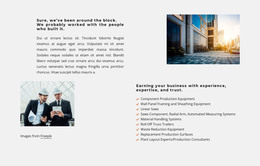
The block arrives as a focused company-information section rather than a collection of unrelated text elements. Its first heading-and-paragraph group introduces a home cleaning company in the UK and connects the service story with online booking and customer control. A circular portrait follows as a visual midpoint, and the second heading-and-paragraph group continues the message with a reference to expansion across the UK.
That sequence gives the section a useful static HTML role: it can carry an introduction or about-style message while other sections provide broader page content. The centered column creates a predictable reading path, and the white background with black typography can sit between lighter introductory material and more functional areas. The portrait adds visual variation without requiring a carousel, form, or other interaction. Its attribution line remains part of the image presentation and can be retained with the supporting visual.
When placed inside a static HTML page, the section can be adapted through its text, image, spacing, and typographic treatment while keeping its two-part narrative intact. Nicepage supports HTML Export for the containing project, allowing this prepared section to participate in a broader static implementation.
Customize with Nicepage
Open this ready-made template in the HTML Builder and customize it visually in the Nicepage editor. Replace demo content, edit page sections, and adapt the design to your project without rebuilding the template from scratch.
Edit Template Offline
2. Create a new page or select existing
3. Click Add new block, search for id 3659969 and click enter
Edit Template Online
Create Awesome Websites


Free Nicepage Builder
Keywords
Use This Block in a Static HTML Page
Start With a Ready-Made Section
A block provides one prepared content area that can be combined with other sections to build a static HTML page. Customize its text, images, spacing, colors, and other elements in the Nicepage editor while keeping the block focused on its own purpose, such as services, testimonials, pricing, contact information, or visual presentation.
Export the Containing HTML Project
When the page or website that contains the block is ready, use HTML Export to create the files required for a static HTML project. The export applies to the containing page/site rather than turning one individual block into a complete website by itself.
Reuse the Section Within the Project
The same block design can be adapted as one content section within a larger static site. Other Blocks can provide navigation, introductions, portfolios, forms, footers, and additional page content while this section keeps its own verified content and layout role.
This workflow makes the block useful as a ready-made section inside a static HTML implementation, with export and deployment handled at the page or website level.