Creating your own space Html Code Example


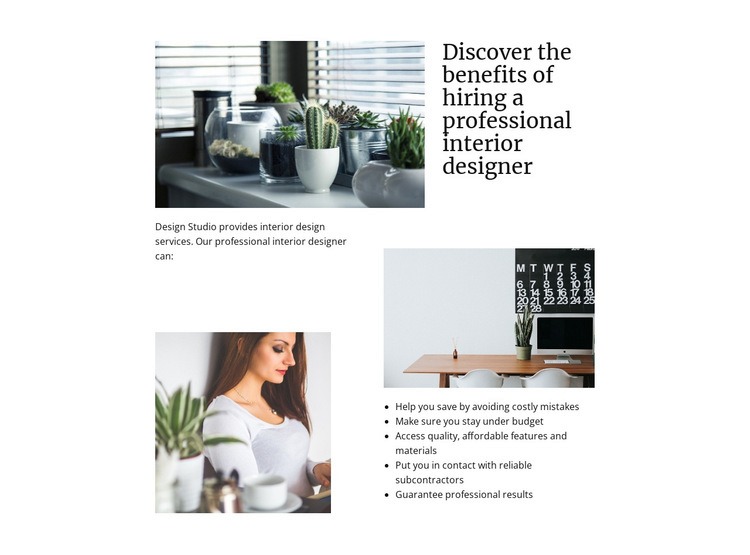
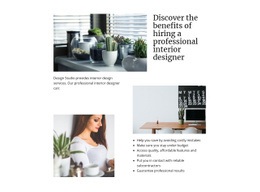
Three photographs create clear extension zones around the service message
The upper image, lower image, and supporting photograph divide the section into visually distinct regions around the interior design message. The introductory paragraph supplies context, while the large heading states the subject directly: discovering the benefits of hiring a professional interior designer. The five-item list then gives the section its practical information layer, covering cost avoidance, budget control, access to materials, reliable subcontractors, and professional results.
Because the content is already separated into an image collage, written introduction, heading, and benefits list, a project can identify sensible places for optional custom markup without disturbing the section's core arrangement. For example, a project-specific informational element could sit beside the benefits list, or an external service component could be positioned near the supporting paragraph if the surrounding page requires one. That would extend the section rather than replace its existing content model.
The block is static, so any added functionality would be an intentional project decision rather than an existing interaction. Its asymmetric columns also provide a useful visual boundary: custom content should remain subordinate to the heading, photographs, and five benefit points. In an HTML Code context, the section therefore works as a stable visual base with clearly bounded areas for optional integration.
Customize with Nicepage
Open this ready-made template in the HTML Code Generator and customize it visually in the Nicepage editor. Replace demo content, edit page sections, and adapt the design to your project without rebuilding the template from scratch.
Edit Template Offline
2. Create a new page or select existing
3. Click Add new block, search for id 58342 and click enter
Edit Template Online
Create Awesome Websites


Free Nicepage Builder
Keywords
Extend This Page With Custom HTML Code
Insert Code With the HTML Element
Use the HTML Element to add custom code directly to a Block in the Nicepage editor. Enter the required markup in the Code field when the page needs content or functionality that is not available through the standard page elements.
Place the HTML Element in the Layout
Treat the HTML Element as part of the visual page composition. Adjust its position, width, height, alignment, and margins to place the custom content where it belongs alongside text, images, buttons, and other elements. This makes it possible to combine visually edited sections with project-specific code without separating the custom element from the rest of the layout.
Add HTML, CSS, JavaScript, and External Components
The HTML Element supports HTML, CSS, and JavaScript, allowing you to extend the page with custom markup and interactive functionality. It can also be used to embed custom code and third-party components, such as social feeds, advertising code, widgets, or other external functionality required by the project.
This workflow makes the template useful for projects that need a visual page editor together with custom HTML code, JavaScript, embedded components, and functionality beyond the standard page elements.



More from Interior Blocks
-
-

-
-
-
-
-
-
-
-
-
Customize Any TemplateDownload
-
-
-
-
-
-
-
-
-
-









More from Tiles Blocks
-

-
-
-
-
-
-
-
-
-
-
Customize Any TemplateDownload
-
-
-
-
-
-
-
-
-
-