Welcome to our company Html Code Example


The Portrait Region Leaves a Clear Place for Section Extensions
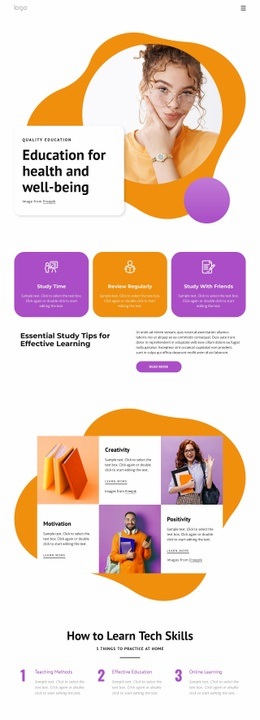
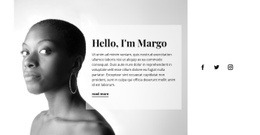
The existing layout already separates the block into two useful regions: a left content area containing the “online learning” label, welcome message, supporting copy, and “read more” action, and a right visual area built around one large portrait. The orange panel crossing the portrait creates a bounded visual zone that can help a project decide where an additional, optional element belongs without disturbing the main message.
For an HTML Code interpretation, the important point is not that custom JavaScript or markup is already present. Rather, the section’s clear boundaries provide logical extension points if the surrounding project later needs a small embedded component, data display, or project-specific interaction near the existing action or image. Any addition should remain secondary to the welcome content and should respect the contrast between the neutral background, orange panel, and dark button.
Nicepage’s HTML Element can provide a way to add custom content when the project requires functionality beyond the block’s current static arrangement. The extension would support this particular section only; it would not replace the verified left-copy/right-portrait structure or turn the reusable block into a complete page.
Customize with Nicepage
Open this ready-made template in the HTML Code Generator and customize it visually in the Nicepage editor. Replace demo content, edit page sections, and adapt the design to your project without rebuilding the template from scratch.
Edit Template Offline
2. Create a new page or select existing
3. Click Add new block, search for id 1017939 and click enter
Edit Template Online
Create Awesome Websites


Free Nicepage Builder
Keywords
Extend This Block With Custom HTML Code
Add Custom Code Inside or Beside the Section
Use the HTML Element when the block needs project-specific content or functionality that is not provided by its existing elements. The custom element can be placed within the section or near a relevant content region so the added functionality remains connected to the block's purpose.
Position the HTML Element in the Layout
Treat the HTML Element as part of the visual composition. Adjust its position, width, height, alignment, and margins so the custom content fits alongside the block's text, images, buttons, cards, or other elements instead of behaving like a separate page.
Add HTML, CSS, JavaScript, or External Components
The HTML Element supports HTML, CSS, and JavaScript and can be used for custom code and third-party components, including widgets, feeds, advertising code, or other integrations required by a project. Use these capabilities only when the section needs functionality beyond its verified built-in content.
This workflow keeps the original block as the visual/content base while providing a controlled way to extend one section without turning custom code into the primary structure of the whole page.