Exporting Wordpress theme



Hi Michael,
Yes, you can create the Theme (header, footer, Blog and Post templates) and content in the Desktop app, export them (Theme with/without content), and install on your WP site.
https://nicepage.com/doc/installation-of-wordpress-theme-and-pages-66707
https://nicepage.com/doc/export-and-update-of-wp-theme-from-app-67768
https://nicepage.com/doc/export-and-update-of-wp-content-from-app-67690
In WP, our Theme can be used on all WP pages including those created not only in Nicepage plugin Editor but also with all other content builders.
Let us know if you have any furhter questions.
...................................................
Sincerely,
Susanna I.
Nicepage Support Team
Please subscribe to our YouTube channel: http://youtube.com/nicepage?sub_confirmation=1
Follow us on Facebook: http://facebook.com/nicepageapp
Thank you for replying so quickly. Really appreciate it.
With the Whitelabel version, does the WP NicePage plugin comes with Whitelabel settings? So
that I can turn off the NP reference within the plugin?
Michael,
Yes, you can use the White Label option with Ultimate license to create a custom branding for the Nicepage plugin on your WordPress website. Here https://nicepage.com/doc/white-label-25538 we explain in more details how to use Whitelabel settings.
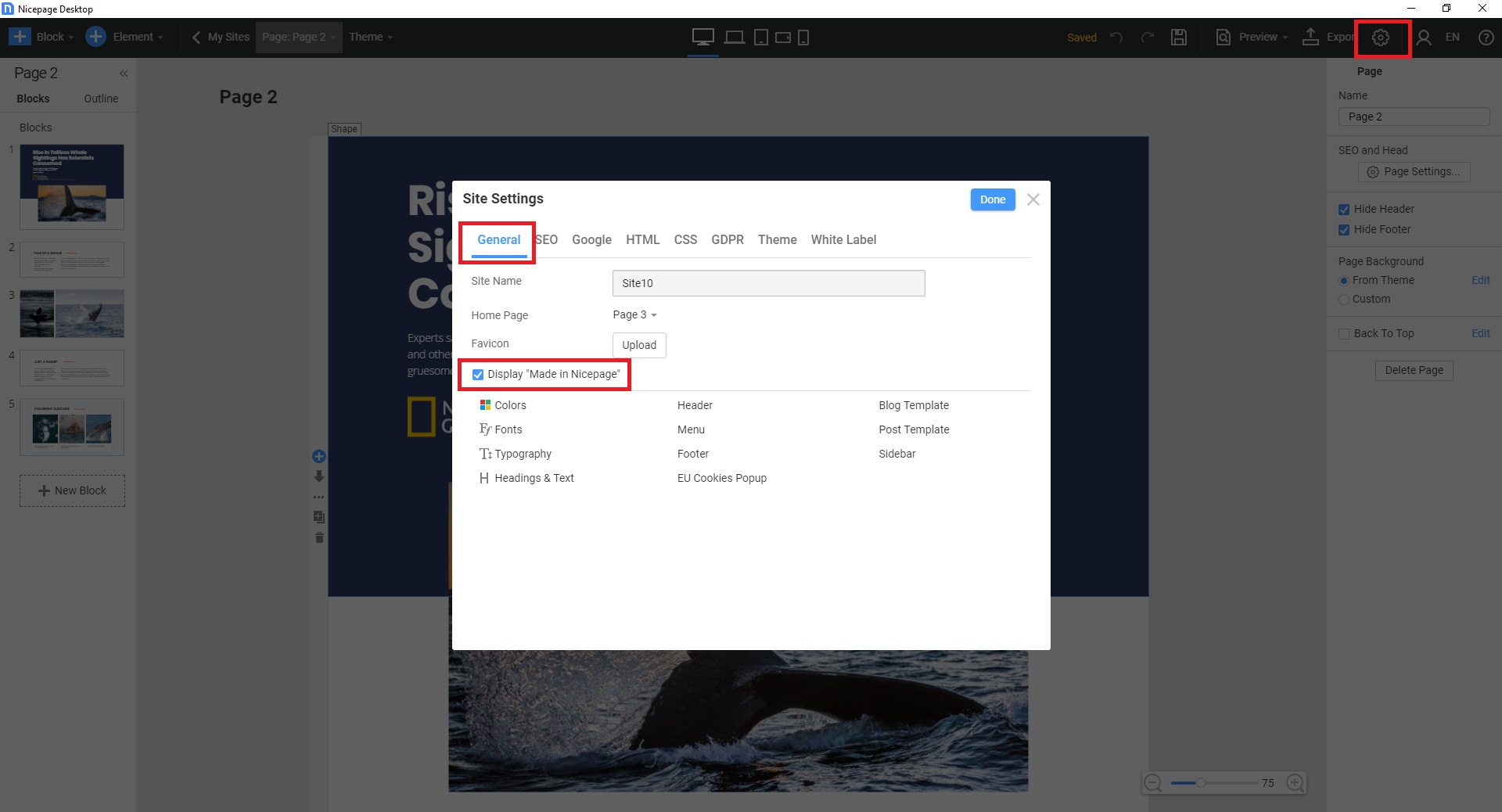
Also, please note the option Display "Made in Nicepage" can be disabled under Site Settings >>General tab with the purchased license (any Edition)
...................................................
Sincerely,
Susanna I.
Nicepage Support Team
Please subscribe to our YouTube channel: http://youtube.com/nicepage?sub_confirmation=1
Follow us on Facebook: http://facebook.com/nicepageapp