How to format joomla block in the footer

A12 Web Studio
47 Posts
A12 Web Studio posted this 02 June 2023
Ask a Question

Hi,
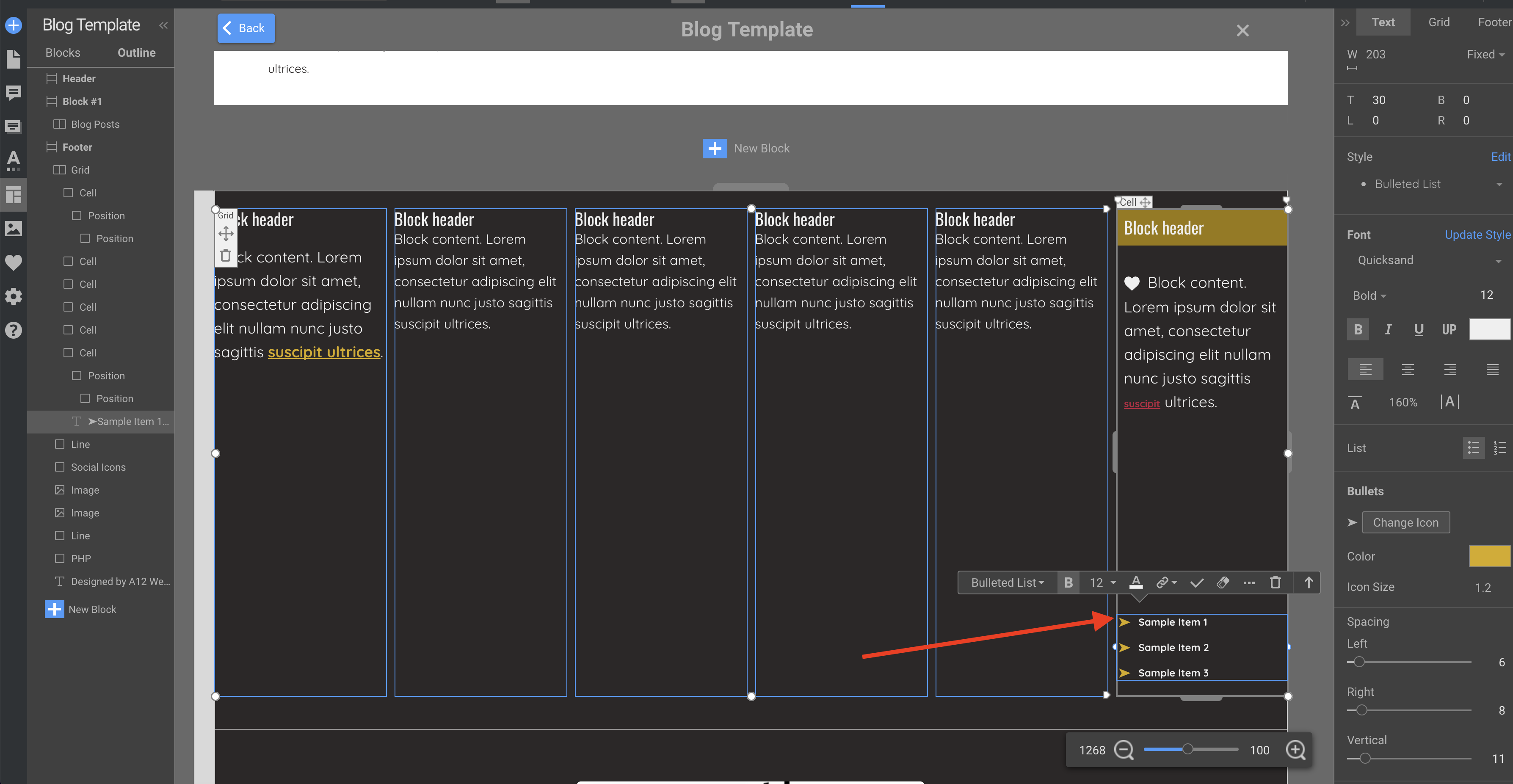
I've added in the footer 6 joomla block with position:
footer1
footer2
.
.
.
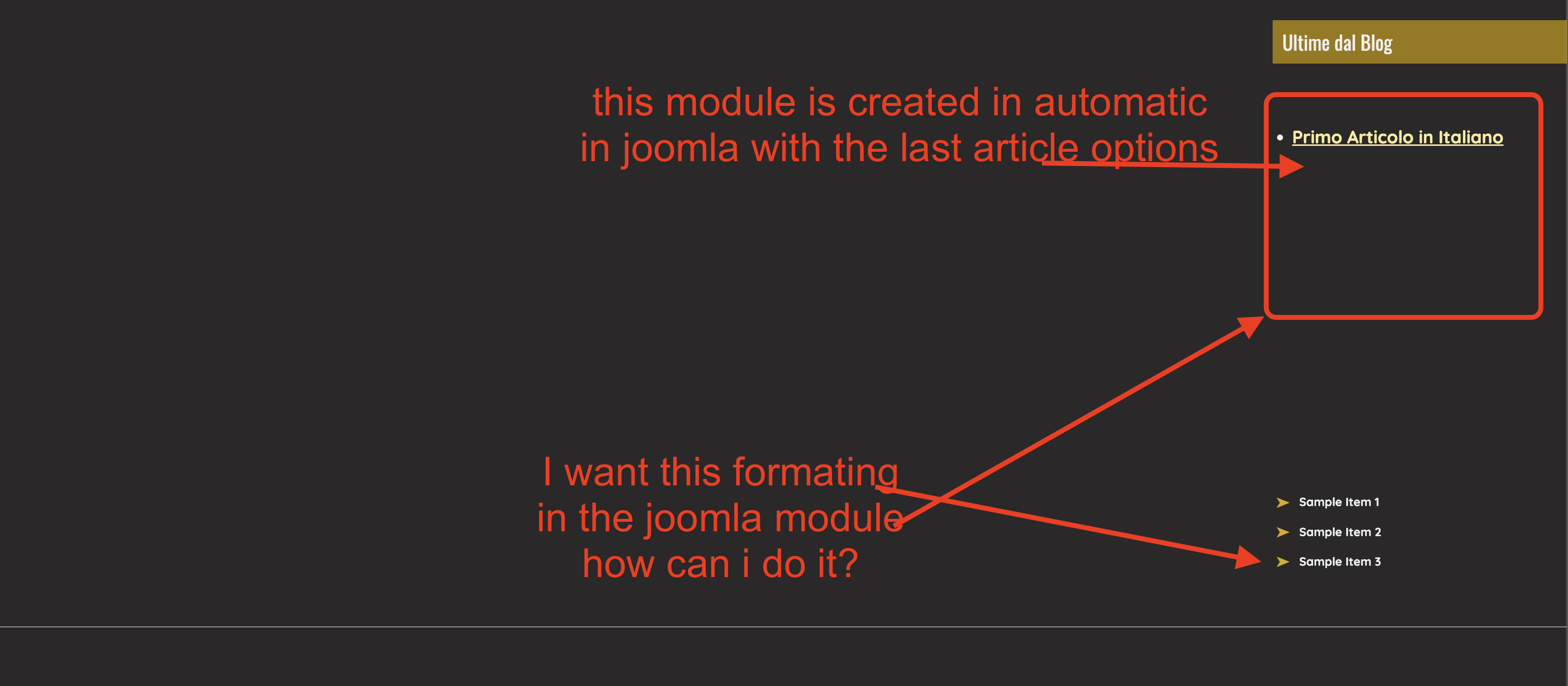
And in each of them I've added some Joomla modules, but how can I format the style of the block content? In themler was easy but I cannot do it here in nicepage

Thank

I've added the images for reference

thanks

Vote to pay developers attention to this features or issue.
6 Replies
Order By: Standard | Newest
Support Team
Support Team posted this 05 June 2023

Nancy,

You can add the HTML Element and format it as you want.

...................................................
Sincerely,
Alan R.
Nicepage Support Team

Please subscribe to our YouTube channel: http://youtube.com/nicepage?sub_confirmation=1
Follow us on Facebook: http://facebook.com/nicepageapp

A12 Web Studio
47 Posts
A12 Web Studio posted this 05 June 2023

Hi,
the way you suggest doesn't work, or I do not understand how to add HTML element to a joomla position.

I've provided you with 2 images that better explain what I want to achieve.

I cannot find in nicepage app (imac in my case) the option to format the HTML elements that are inserted automatically in joomla position, as I do easily in Themler

thanks
nancy

A12 Web Studio
47 Posts
A12 Web Studio posted this 05 June 2023

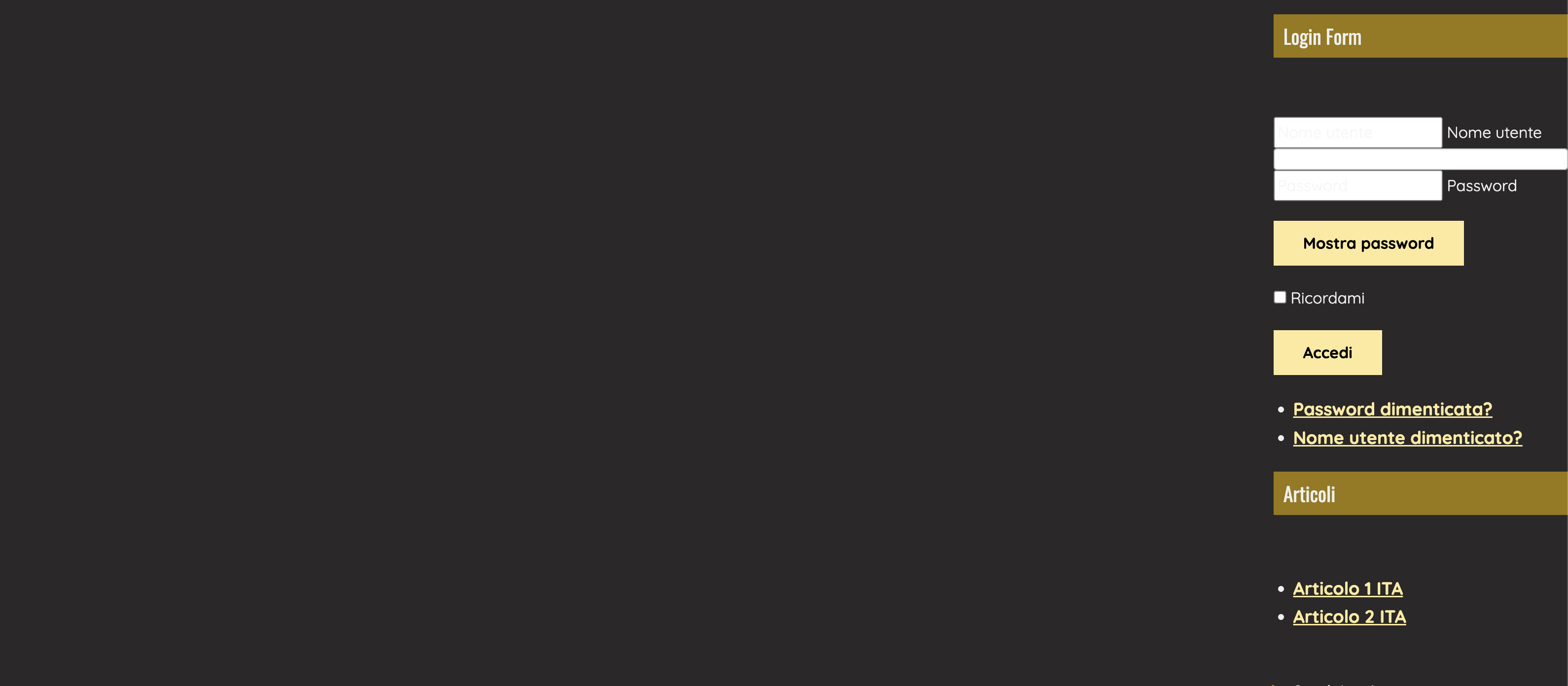
In addiction, for example, how can I format all the elements in the form login in the footer?
see image provided

In the footer I will have not only the login form but other forms that comes from other modules and component

Thanks
n

A12 Web Studio
47 Posts
A12 Web Studio posted this 06 June 2023

Any news?

A12 Web Studio
47 Posts
A12 Web Studio posted this 07 June 2023

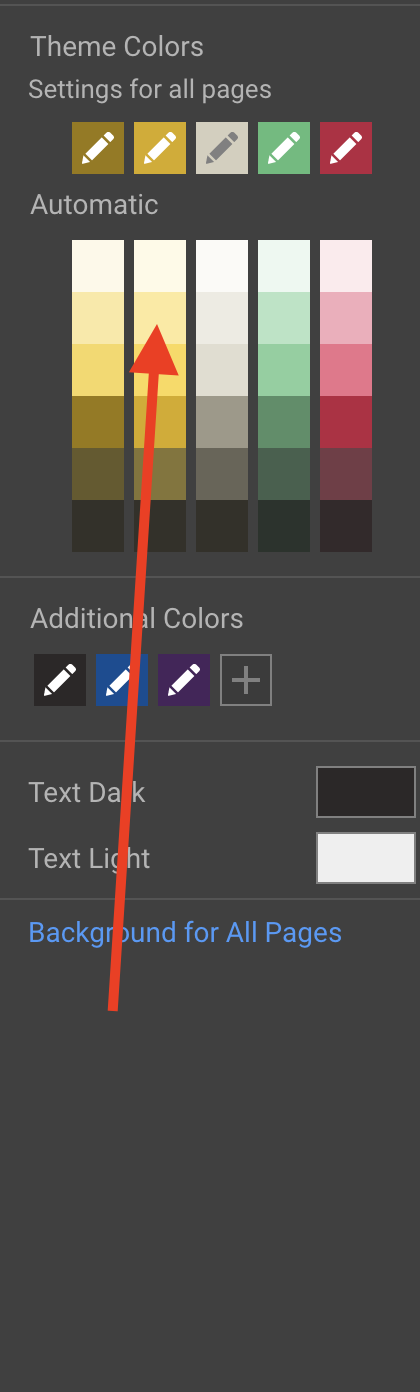
I've noticed that the joomla blocks (despite their position) are formatted with the automatic palette (see the image attached)

Can I avoid this and choose my own color for the Joomla Block style as I do in Themler?

this is really crucial for me because I use a lot of joomla module in my website and I cannot style each of them manually and I do not like the automatic colors proposed

thanks
Nancy

Support Team
Support Team posted this 09 June 2023

Hello Nancy,

Sorry for the delay.

Joomla module with the position in footer - text and elements added inside your module can be styled only with Joomla editor, Nicepage position element only outputs the content of the module.

Please specify that Joomla blocks are modules in your example that you need to style.
If you need any further assistance, please send here the block sample as an exported block or a link to the page with it.

Sincerely,
Anna.
Nicepage Support Team

Please subscribe to our YouTube channel: http://youtube.com/nicepage?sub_confirmation=1
Follow us on Facebook: http://facebook.com/nicepageapp

You must log in or register to leave comments