Hello Luis,
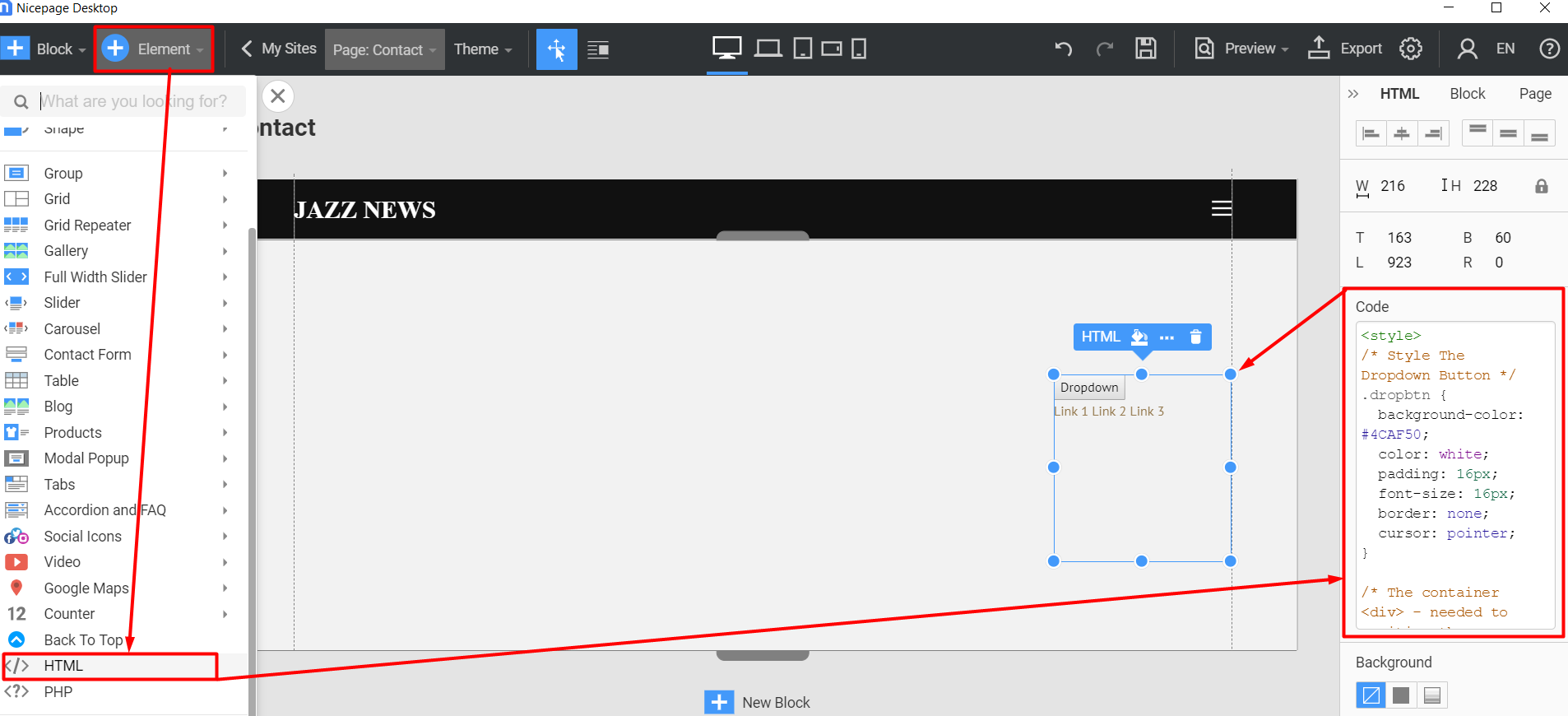
Unfortunately, there's no such possibility for now, but it is on our wishlist. However, you can manually add it by using a custom code and paste it into Element >> HTML:
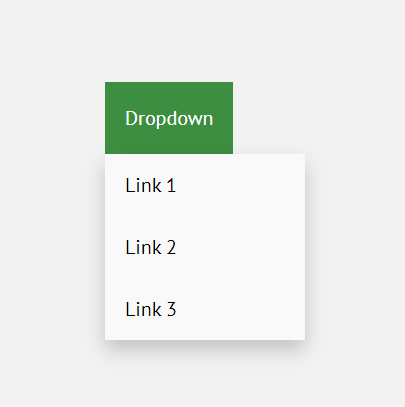
This is the result:
Please note, that this is an experimental code, and we do not guarantee that it will work. You can find it here.
...................................................
Sincerely,
Lilioneta
Nicepage Support Team
Please subscribe to our YouTube channel: http://youtube.com/nicepage?sub_confirmation=1
Follow us on Facebook: http://facebook.com/nicepageapp
Hi Luis,
You're always welcome. Have a great one as well :)
...................................................
Sincerely,
Lilioneta
Nicepage Support Team
Please subscribe to our YouTube channel: http://youtube.com/nicepage?sub_confirmation=1
Follow us on Facebook: http://facebook.com/nicepageapp
I was thinking that "maybe" this can be easily solved by adding kind of "submenu" features to the "button" element, so the dropdown could be added like adding links to pages in submenu items as in the main menu... and maybe they can be able to show an Icon element too.
Just an idea.
Hi Luis,
This sounds like a menu feature :)
Looks like you need some sorting for the category material. You maybe could use WP for that and create a separate menu with a links to the specific categories.
...................................................
Sincerely,
Hella
Nicepage Support Team
Please subscribe to our YouTube channel: http://youtube.com/nicepage?sub_confirmation=1
Follow us on Facebook: http://facebook.com/nicepageapp
Hi Luis,
You are welcome, let us know if you need any further help.
...................................................
Sincerely,
Hella
Nicepage Support Team
Please subscribe to our YouTube channel: http://youtube.com/nicepage?sub_confirmation=1
Follow us on Facebook: http://facebook.com/nicepageapp