How to disable reCapcha ?

Auguste
257 Posts
Auguste posted this 15 February 2023
Ask a Question

Hello,

How to disable reCAPTCHA?
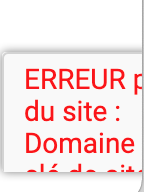
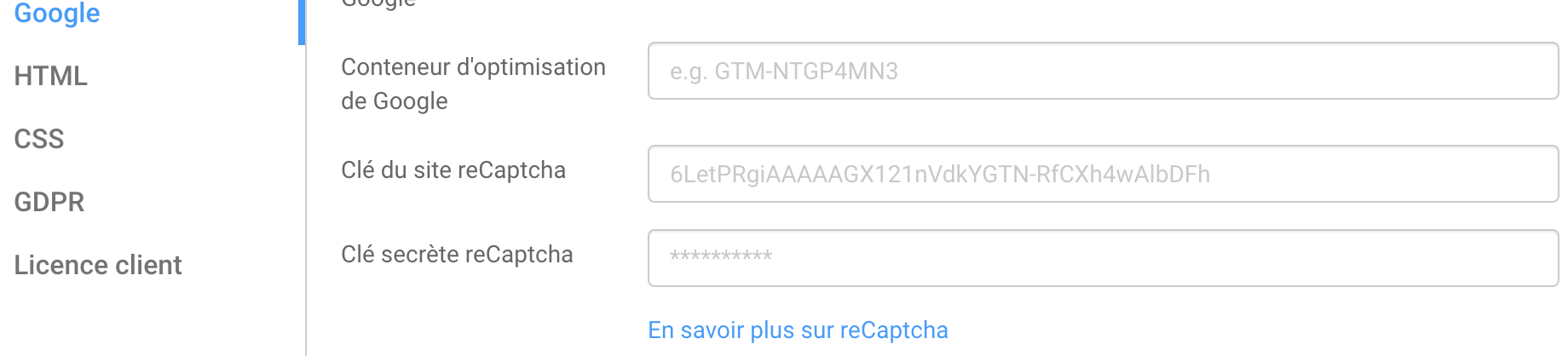
I did not activate it in Nicepage and yet I have an error that appears in the bottom right corner of the page?
I don't need a reCapcha.

Look at the two attached files.

Thanks

Last edited 15 February 2023 by Auguste

Vote to pay developers attention to this features or issue.
9 Replies
Order By: Standard | Newest
Auguste
257 Posts
Auguste posted this 15 February 2023

https://safehouseweb.com/how-to-remove-recaptcha-badge-from-website/

Auguste
257 Posts
Auguste posted this 15 February 2023

.grecaptcha-badge { visibility: hidden; }

Auguste
257 Posts
Auguste posted this 15 February 2023

I have deleted my domain name but still in the page :-(

Auguste
257 Posts
Auguste posted this 15 February 2023

.grecaptcha-badge {
display: none;
}

Auguste
257 Posts
Auguste posted this 15 February 2023

I can't delete it :-(

Support Team
Support Team posted this 15 February 2023

Hello,

Recaptcha is automatically added when you're using the Email or Google Sheet Form submit option. You can either use the default recaptcha or generate custom keys via recaptcha admin panel. Alternatively, you ca use any other Form submit option if you do not wish to use recaptcha.

The code you're using hides recaptcha badge but does not remove it from the page.

Please let us know if you have any further questions.

...................................................
Sincerely,
Olivia
Nicepage Support Team

Please subscribe to our YouTube channel: http://youtube.com/nicepage?sub_confirmation=1
Follow us on Facebook: http://facebook.com/nicepageapp

Auguste
257 Posts
Auguste posted this 15 February 2023

Thanks :-)

akramnajjar
39 Posts
akramnajjar posted this 03 October 2025

I have the same problem.
I reset the Google Captcha keys (both of them) but I still get this message:

"Unable to submit the contact form. Please accept the cookie consent for the correct recaptcha functioning."
Please help
Akram

Support Team
Support Team posted this 10 October 2025

Hi,

akramnajjar, sorry for the delay in reply in this topic.

As I mentioned in your private case, you enabled the Cookie Popup, and users must either accept or reject cookies.
When using the Email submiе option (through our server), then the reCAPTCHA is required.
If cookies are not accepted, reCAPTCHA cannot connect, and the form will not function.

...................................................
Sincerely,
Susanna I.
Nicepage Support Team

Please subscribe to our YouTube channel: http://youtube.com/nicepage?sub_confirmation=1
Follow us on Facebook: http://facebook.com/nicepageapp

You must log in or register to leave comments