
website header



Hello Gabriel,
To make your Header different color when you start scrolling, please check Header Over Block option and chose the background color >> choose the Sticky on Scroll option on the panel on the right, and choose background color which will appear after scrolling started.
Please note that you could see Sticky on Scroll Header only in the preview mode!
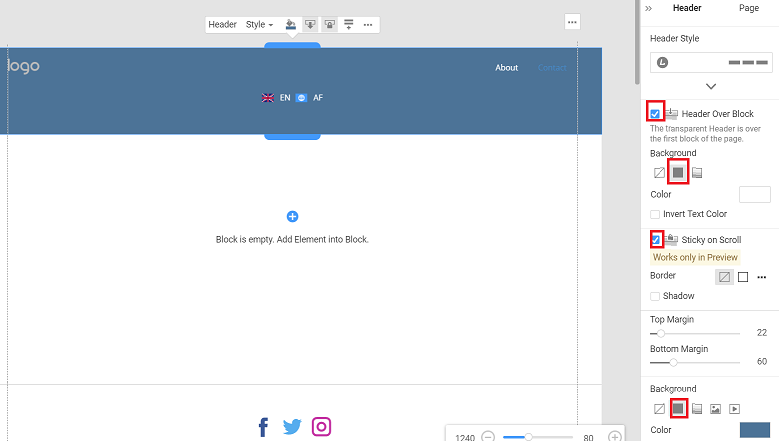
...................................................
Sincerely,
Negat Veri
Nicepage Support Team
Please subscribe to our YouTube channel: http://youtube.com/nicepage?sub_confirmation=1
Follow us on Facebook: http://facebook.com/nicepageapp
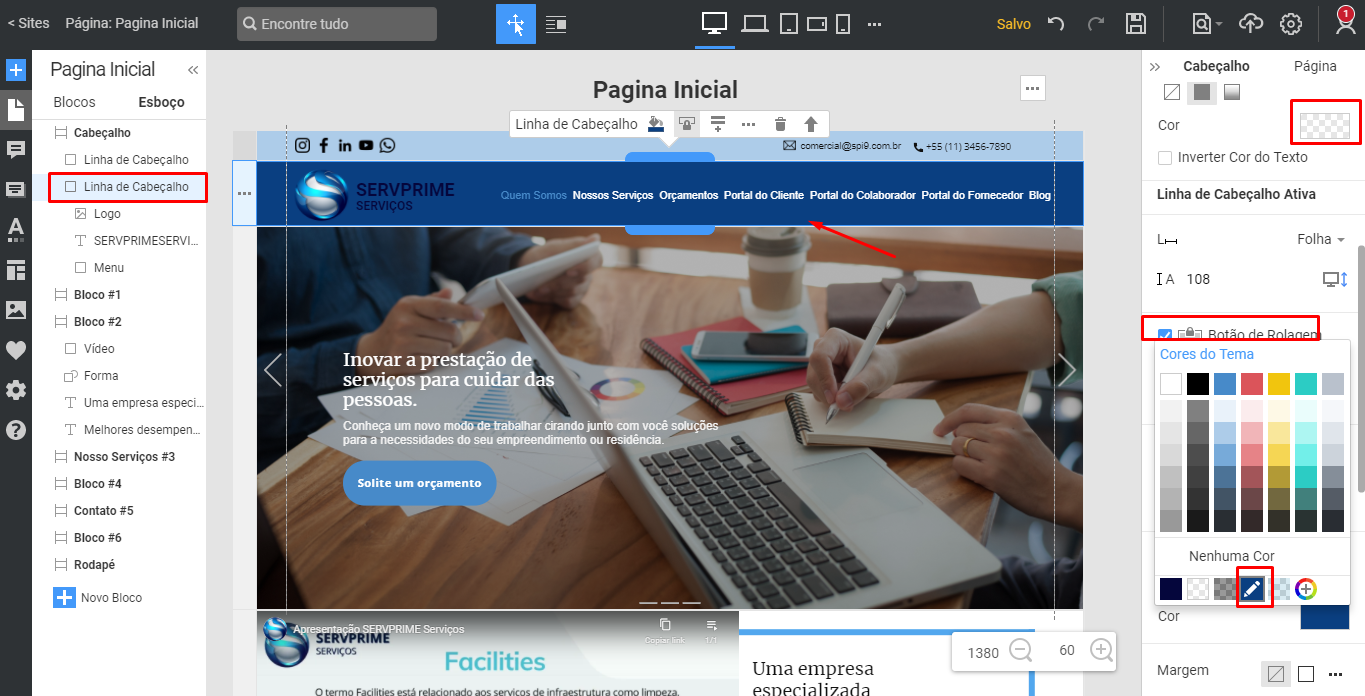
It worked when I did it with just one line of the header, it didn't work when I made it to my site that has 2 lines of header, it stays with the color that I defined in Header Over Block, I want to do it with two lines to my site, in my site want line 2 of the header to be blank, and when i scroll down it is light blue?
my site has 2 header row i want it to change color when scrolling down header row 2 only.
Hi Gabriel,
Unfortunately, such an option is not available for The Header with two rows. But we added it to our wish list.
...................................................
Sincerely,
Olivia
Nicepage Support Team
Please subscribe to our YouTube channel: http://youtube.com/nicepage?sub_confirmation=1
Follow us on Facebook: http://facebook.com/nicepageapp